HOURLINE AT A GLANCE
Hourline, in facts.
Hourline is a free app for iPhone, iPad and Apple Watch that shows the cities you care about as illustrated scenes following each city's real time of day and weather. It turns them into personalized wallpapers, Home Screen and Lock Screen widgets and Apple Watch complications, and adds a world clock and a time-zone meeting planner.
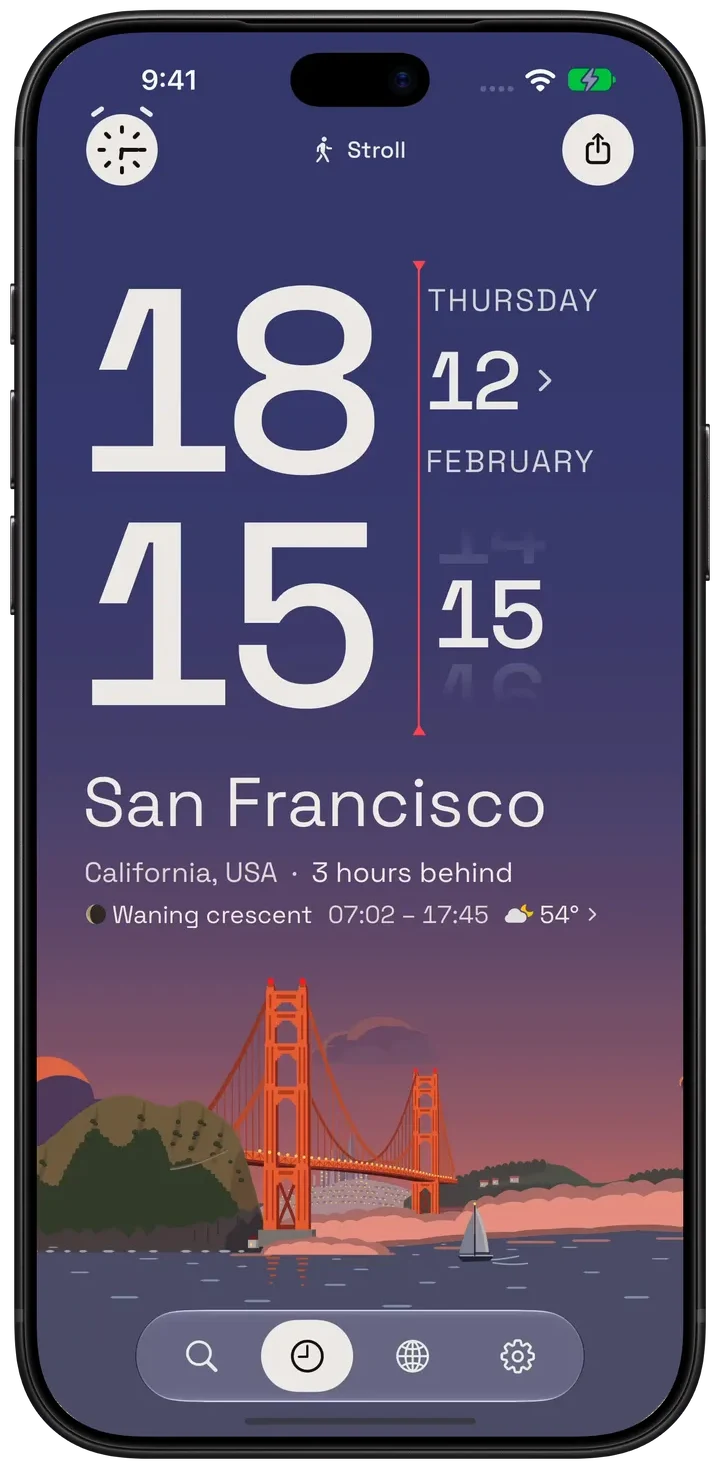
About the demos
Hourline 1.1.1 · Native simulator captures · Demo weather and conversations
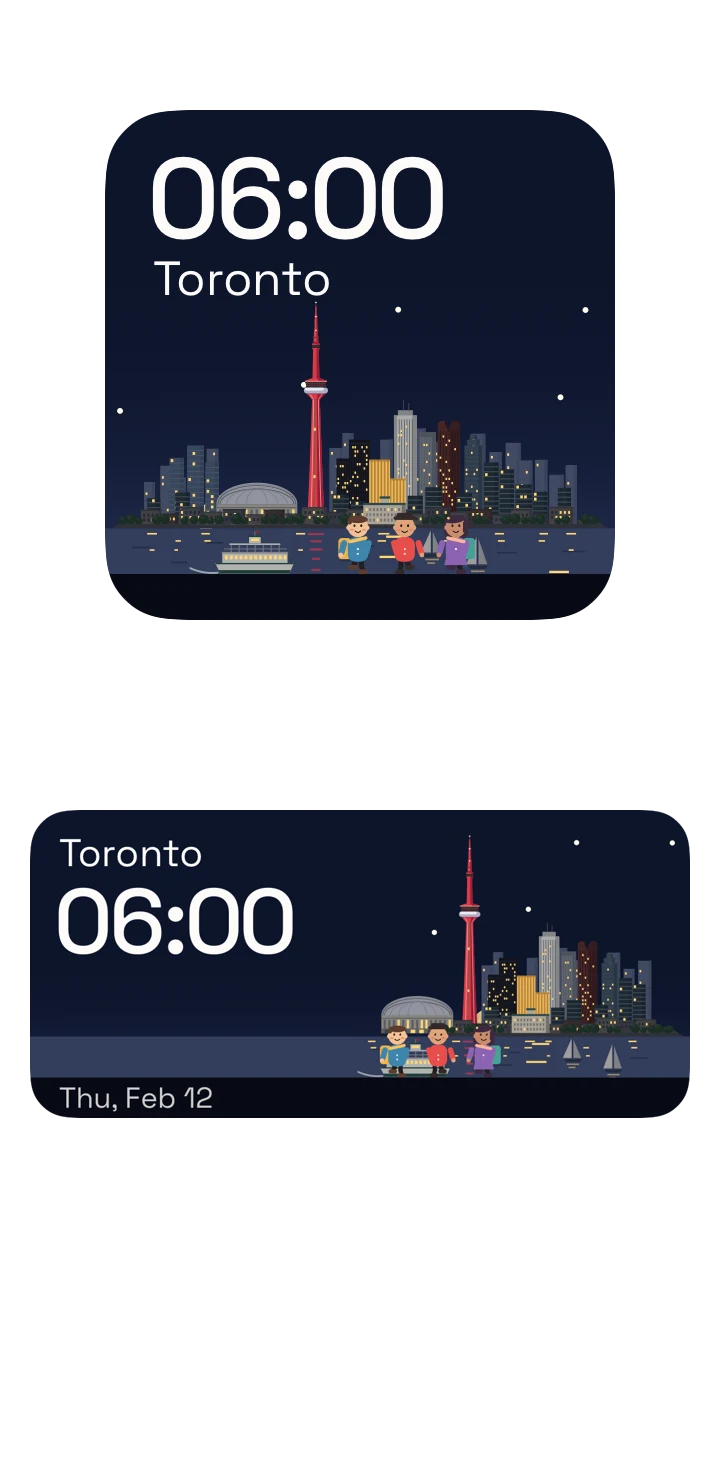
Native widget timeline previews · A day in seconds
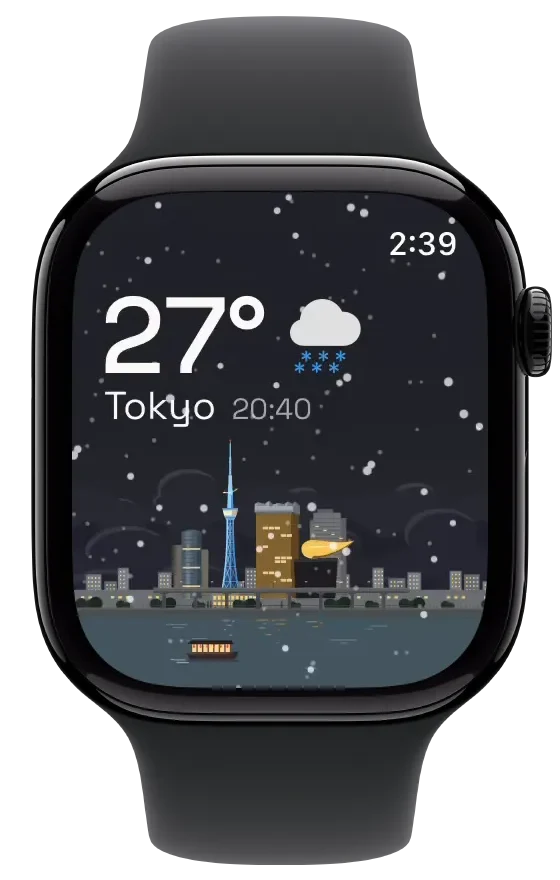
Key facts
| Fact | Hourline |
|---|---|
| App Store name | Hourline: Widgets & Wallpapers (named Hourline: World Clock before version 1.1) |
| What it is | City wallpapers, widgets and weather with a world clock and time-zone planner |
| Platforms | iPhone, iPad and Apple Watch |
| Requirements | iOS 18, iPadOS 18 or watchOS 11 and later; the App Store also lists Apple Vision Pro (visionOS 2 or later) |
| Price | Free download; optional Hourline Pro, a yearly subscription or a one-time Lifetime purchase (pricing) |
| Ads and accounts | No ads, no sign-up |
| Illustrated places | Choose from all places. Permanently unlock 6 for free, including Toronto. |
| Languages | 20 languages (21 localizations, with Portuguese for Brazil and for Portugal) |
| Weather source | Apple Weather (WeatherKit) |
| Category | Utilities, Travel · rated 4+ |
| First released | 2 October 2026 |
| Current version | 1.1, released 19 October 2026 |
| App Store rating | 4.9 out of 5 from 8 ratings (US, 23 October 2026) |
| Developer | William Li (Chengqi Li, 成琦 李), independent developer |
| App Store ID | 6816602142 |
What Hourline does
- City scenes. Each city has an illustrated scene with its landmarks. Its sky follows the city's real time: the sun crosses at its real height from sunrise to sunset, the moon and stars come out at night, and rain, snow, fog or storms appear when the city has them.
- Wallpapers. Make any city your Home Screen or Lock Screen wallpaper, adjust its position and zoom, add stickers or stand yourself in the scene from a photo, and let a Shortcuts automation refresh it through the day.
- Widgets. Home Screen and Lock Screen widgets for city times, weather, the sky and your day, plus Live Activities on the Lock Screen and Dynamic Island, and complications and Smart Stack on Apple Watch.
- World clock. Saved cities with their local times, dates, weather and daylight in one list, a time ruler you can drag ahead, and a day-and-night world map.
- Meeting planner. Pick a city's date and time, see everyone's local time and date, then add the event to your calendar in that city's time zone (Pro).
- Postcards. Print a city's clock as a postcard in color or ink, decorate it with stickers and share it.
- City Stroll. On eligible devices, follow a fictional conversation through a city's real places, shaped by its local time and weather.
On each device
| Device | What you can do |
|---|---|
| iPhone | Everything: city scenes, world clock and time ruler, world map, meeting planning, wallpapers, Home Screen and Lock Screen widgets, Live Activities, alarms (iOS 26+), postcards and City Stroll. |
| iPad | The same app with room for World Time beside the clock, Home Screen and Lock Screen widgets, wallpapers and iCloud Sync of saved cities with your iPhone (Pro). |
| Apple Watch | Your saved cities with their times and scenes, complications and Smart Stack, turning the sky through the day with the Digital Crown, and weather details with Pro. |
Free and Hourline Pro
Free
- Permanently unlock 6 places for free, including Toronto, from the whole catalog
- My Location: your own place beside your cities, with its time, weather and sun
- World clock list, shared time ruler and a day-and-night world map
- Time and date comparison across cities, with daylight saving for the chosen date
- Weather for the selected city on the Clock screen (Apple Weather)
- Scenery city wallpapers for the Home Screen and Lock Screen
- Many widgets, including clock widgets, Now & Next, Year of Light, Moon Month, Reminders Across Time and Two-City Calendar
- Live Activities with up to three cities on the Lock Screen and Dynamic Island
- Saved cities and their clocks on Apple Watch
Hourline Pro
- Unlock more places and save unlimited cities
- Weather for every city, with hourly and ten-day forecasts
- Public holidays and stock market hours for a city's day
- Add a planned meeting to your calendar in the city's time zone
- City alarms set in a city's local time (iOS 26 or later)
- iCloud Sync of your saved cities between iPhone and iPad
- Premium widgets: Postcard, Landmark, Illustration, City Status, Window, Departures and Widget Studio designs
- Weather, forecast and calendar information drawn into your wallpaper
- Weather details on Apple Watch: feels-like temperature, the next hours, five days, rain, wind and UV
- Continue City Stroll conversations past the first three lines
Hourline Pro is a yearly subscription or a one-time Lifetime purchase. Prices vary by country; the app and the pricing page show them. Subscriptions renew automatically unless cancelled at least 24 hours before the period ends.
Who Hourline is for
- People with family, friends or partners in another time zone who want to see the time, weather and daylight there at a glance.
- Remote workers and teams who plan calls across time zones and want the local date and daylight saving handled for the meeting's date.
- Travellers and people who move between cities who want a home city and a destination side by side.
- Anyone who wants a personal, illustrated Home Screen or Lock Screen: a city wallpaper that changes through the day and widgets that match it.
Hourline is not a booking or shared-availability tool: it has no team accounts or scheduling links, and it runs only on Apple devices.
Privacy
Hourline has no accounts, no advertising and no cross-app tracking. Saved cities and settings stay on your device, are shared with your paired Apple Watch, and sync through your own iCloud only if you turn on iCloud Sync. Location is used only when you choose My Location. Calendar events are read on your device. Hourline sends limited usage and diagnostic reports to PostHog and purchase information to RevenueCat, without your coordinates, calendar or reminder contents. Weather comes from Apple's WeatherKit.
On the App Store, Hourline's privacy label lists purchase history, a user ID, product interaction, crash and performance data, coarse location and other data as linked to you, and no data used to track you. Read the privacy policy
Sources and links
- Hourline on the App Store (ID 6816602142)
- The Hourline website, in 21 language versions
- Pricing: Free and Hourline Pro
- World clock and time-zone planner guide
- City wallpaper guide · Widget guide
- Hourline 中文介绍
- About places: travel stories behind the illustrated cities
- llms.txt and llms-full.txt: this page in plain text for AI assistants
- Contact the developer
Questions people ask
What is Hourline?
Hourline is a free app for iPhone, iPad and Apple Watch that shows the cities you care about as illustrated scenes following each city's real time of day and weather. It turns them into personalized wallpapers, Home Screen and Lock Screen widgets and Apple Watch complications, and adds a world clock and a time-zone meeting planner.
Is Hourline free?
Yes. Hourline is a free download with no ads. Hourline Pro is optional: a yearly subscription or a one-time Lifetime purchase. Prices vary by country and are shown in the app and on the App Store.
What do you get without paying?
Permanently unlock 6 places from the whole catalog, including Toronto, and save up to 6 cities. Removing a city does not free an unlock. My Location does not use an unlock. Also included: the world clock, time ruler and world map, weather for the selected city, scenery wallpapers, many widgets, Live Activities and the Apple Watch app.
Which devices and versions does Hourline support?
iPhone with iOS 18 or later, iPad with iPadOS 18 or later, and Apple Watch with watchOS 11 or later. City alarms and Weather Brief need iOS 26 or later; City Stroll needs iOS 26 or later and Apple Intelligence or a supported model you configure.
Is Hourline on Android, Mac or the web?
Hourline is available from Apple's App Store for iPhone, iPad and Apple Watch. There is no Android or web version.
Is Hourline a good world clock app?
Yes, if you want more than a list of times. Besides city clocks, Hourline lets you drag a time ruler to see what time it will be in each city, compare dates across midnight, check each city's weather and daylight, plan a meeting and add it to your calendar in that city's time zone (Pro), and keep cities on widgets, Live Activities and Apple Watch.
Can Hourline plan a meeting across time zones?
Yes. Choose a city, date and start time, and Hourline shows the matching local times and dates for your saved cities, using the time-zone rules for that date, including daylight saving. With Hourline Pro you set the duration, repeat schedule and reminder, and add the event to the calendar you choose.
Does the wallpaper change by itself?
Hourline makes the wallpaper image; Apple's Shortcuts app sets it. Hourline provides a Generate City Wallpaper action, so a Shortcuts automation you set up can refresh the wallpaper through the day. Scenery wallpapers are free; weather information in the wallpaper requires Pro.
Where does the weather come from?
From Apple Weather, through Apple's WeatherKit service.
Does Hourline collect my data?
Hourline has no accounts, no advertising and no cross-app tracking. Your cities and settings stay on your device (and in your iCloud if you turn on iCloud Sync). It sends limited usage and diagnostic reports to PostHog and purchase information to RevenueCat, as the privacy policy describes; it never sends your coordinates, calendar or reminders to the developer.
Who makes Hourline?
Hourline is made by independent developer William Li (Chengqi Li, 成琦 李). The official website is hourline.app and the App Store ID is 6816602142.
Is Hourline the same as other apps or services called Hourline?
No. This Hourline is the iPhone, iPad and Apple Watch app at hourline.app with App Store ID 6816602142. It is not affiliated with other apps, websites or time-tracking services that use the name Hourline.