WORLD CLOCK & TIME ZONES
A world clock that looks ahead.
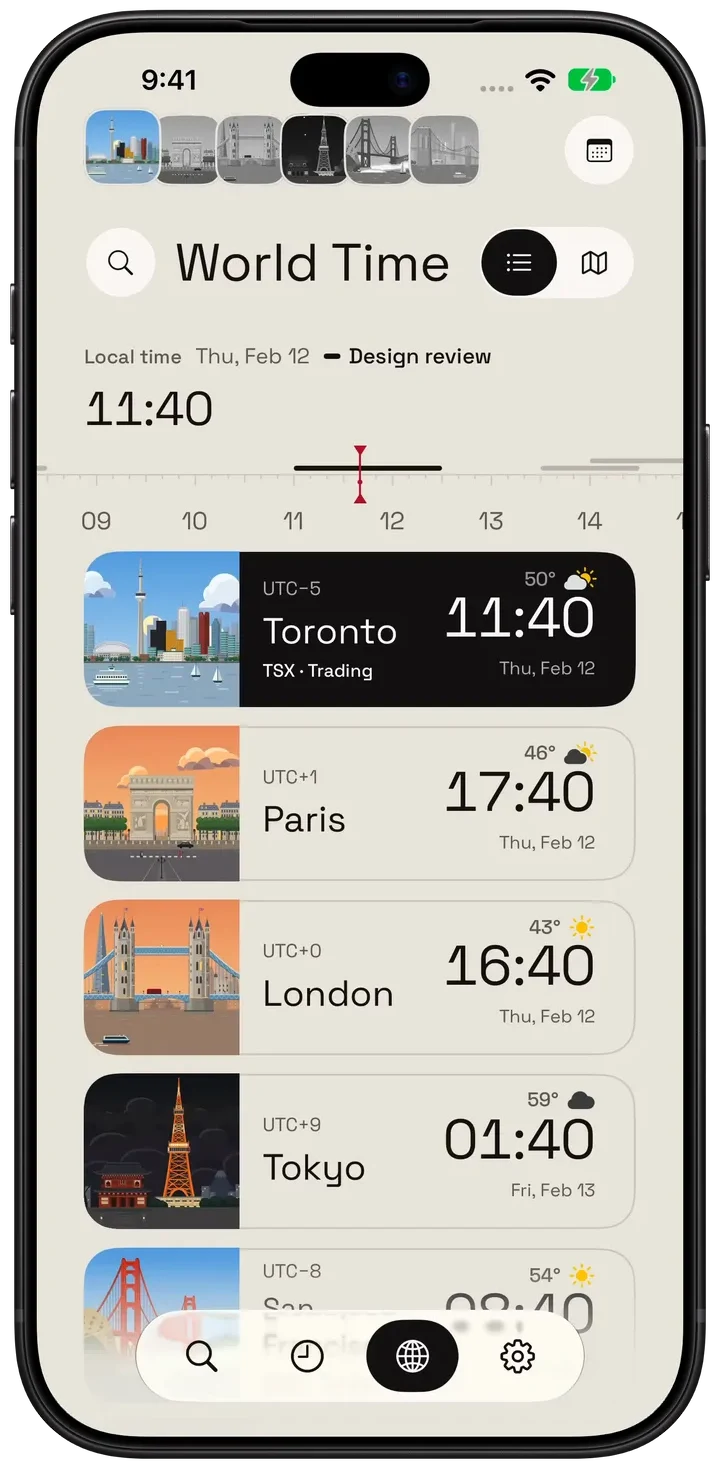
Hourline keeps your cities' times, dates, weather and daylight in one list, lets you drag the hour forward to see everyone's time, and turns the time you choose into a calendar event in that city's time zone.
About the demos
Hourline 1.1.1 · Native simulator captures · Demo weather and conversations
What the world clock does
- Saved cities. Permanently unlock 6 places for free from the whole catalog, including Toronto, and save up to 6 cities. Pro unlocks more places and removes the saved-city limit. Each city shows its local time, date, offset from you, weather, sunrise and sunset.
- A time ruler. Drag the hours to look ahead or back; every city's time and date moves with it, and a midnight crossing shows as the next or previous day.
- Working hours and your calendar. Compare working hours while you plan, and opt in to see your own calendar events on the ruler (read on your device).
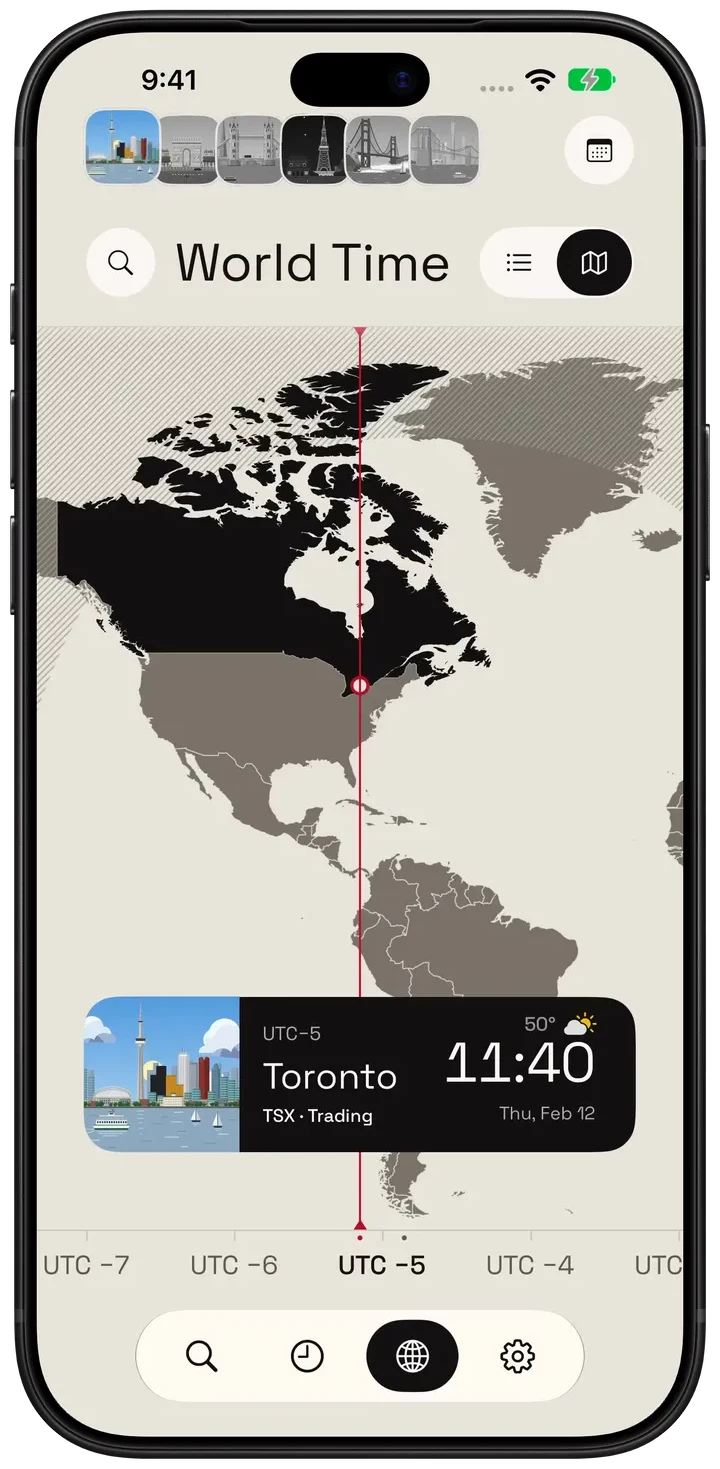
- The world map. A day-and-night map from the sun's actual position, with the red hour line you can follow across it.
- Daylight saving. Every city uses the system's time-zone rules for the date you are looking at, so differences that change for a week in spring and autumn are shown correctly.
- A city's day. Open any city's day from the clock's calendar; with Pro, see its public holidays and stock market hours.
- Glanceable. Widgets for one, two or three cities, Live Activities with up to three cities on the Lock Screen and Dynamic Island, and saved cities on Apple Watch.
- City alarms. With Pro on iOS 26 or later, set an alarm in a city's local time and choose the weekdays it repeats.
How to plan a meeting across time zones
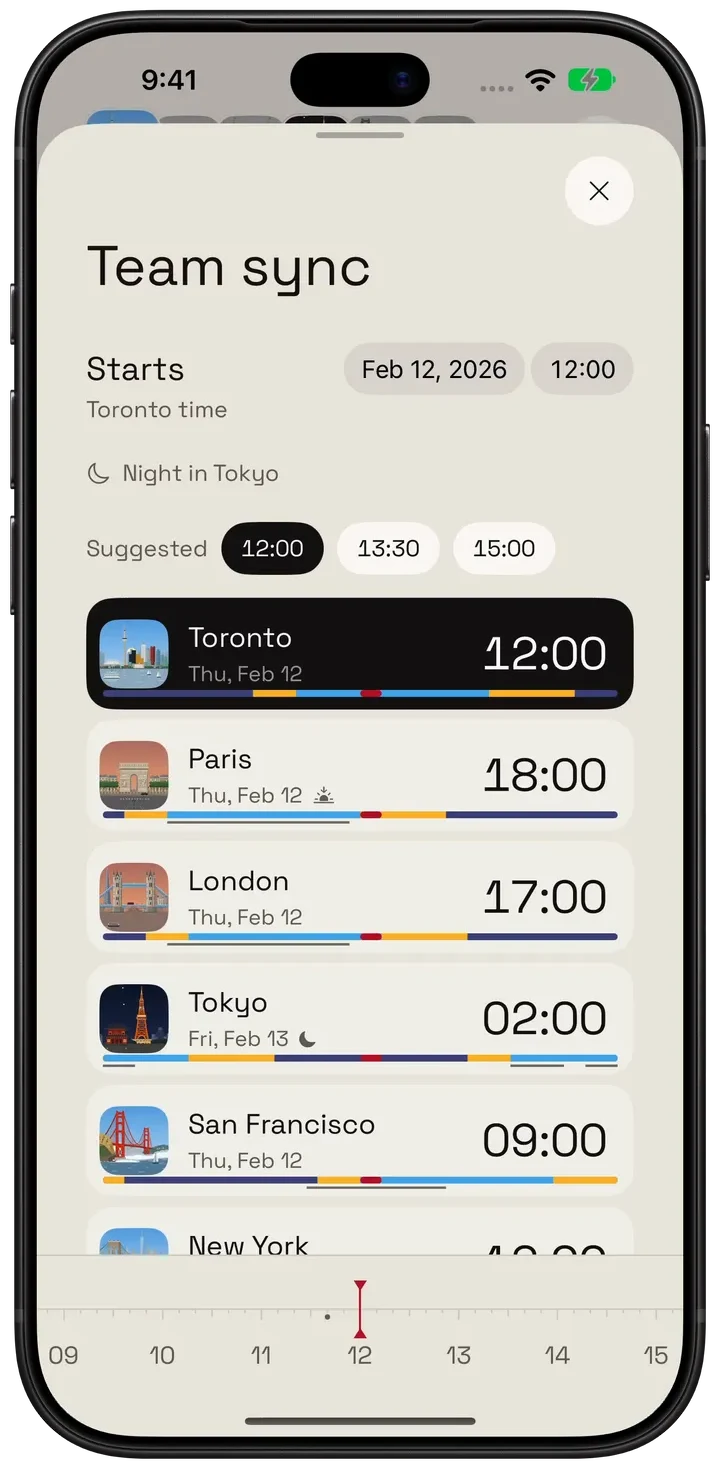
- Open World Time and choose the city whose time sets the meeting.
- Pick the date and start time. Every saved city shows its local time and date for that moment.
- Check the whole plan: set the duration, a repeat schedule and a reminder; a midnight crossing appears as the next local date.
- With Hourline Pro, add the event to the calendar you choose, in that city's time zone, so it stays right for everyone.
You can also try the three-city comparison on the Hourline homepage in your browser.
Example: the week the clocks disagree
The UK and the US change their clocks on different dates. In 2026, London returns to GMT on 25 October, but New York stays on daylight time until 1 November. For that week a 15:00 London call is at 11:00 in New York, not the usual 10:00, and Tokyo, which has no daylight saving, is 9 hours ahead of London instead of 8. Hourline shows each city's time for the date of the meeting, so the plan is right on either side of the change.
Hourline and the built-in Clock app
Apple's Clock app shows the current time in the cities you add, and it is free on every iPhone. Hourline is for when you also need to look ahead or keep the place in view:
| Hourline | |
|---|---|
| Look ahead | Drag a time ruler and see every city's time and date move together |
| Plan a meeting | Choose a city's time and add the event to your calendar in its time zone (Pro) |
| Weather and daylight | Each city's weather, sunrise and sunset beside its time |
| On your screens | Widgets, Live Activities with three cities, city wallpapers and Apple Watch complications |
| Alarms | Alarms in a city's local time (Pro, iOS 26+) |
Who it suits
- Remote teams and freelancers with clients in other time zones.
- Families and couples living apart, who want to know when it is a good time to call.
- Travellers keeping their home city beside their destination.
Hourline has no shared team accounts or booking links; each person plans on their own device.
Questions people ask
Which iPhone app shows several time zones in a widget?
Hourline has widgets for one city, two cities and three cities on the Home Screen and Lock Screen, and Live Activities that show up to three cities on the Lock Screen and Dynamic Island. Standard clock widgets are free.
Does Hourline handle daylight saving time?
Yes. Each city uses the system's time-zone rules for the date you are viewing, so when countries change their clocks on different dates, the difference between them changes too.
Can I add a meeting to my calendar in another city's time zone?
Yes, with Hourline Pro. Hourline writes the event to the calendar you choose, in the city's time zone, with its duration, repeat schedule and reminder.
Does Hourline work on Apple Watch?
Yes. Your saved cities appear on Apple Watch with their times and scenes, with complications and Smart Stack widgets; turn the Digital Crown to move a city's sky through the day. Weather details on the watch need Pro. Hourline needs watchOS 11 or later.
Is the world clock free?
Yes. The world clock, time ruler, world map and time comparison are free. Permanently unlock 6 places from the whole catalog, including Toronto, and save up to 6 cities. Removing a city does not free an unlock. My Location does not use an unlock.